
Project Overview
Artful Thinking educational platform is an online educational platform designed as a central hub for all stakeholders of this unique program. It provides streamlined access to program content, assignments, and communication tools. Additionally, the platform serves as a promotional space for individuals interested in learning more about the program.
Timeline
12 weeks
My Role
UX designer and researcher, from conception to delivery
Responsibility
User research, user persona, user journey, competitive audit, paper and digital wire-framing, low- & high- fidelity prototyping, usability studies, and iterating on responsive design
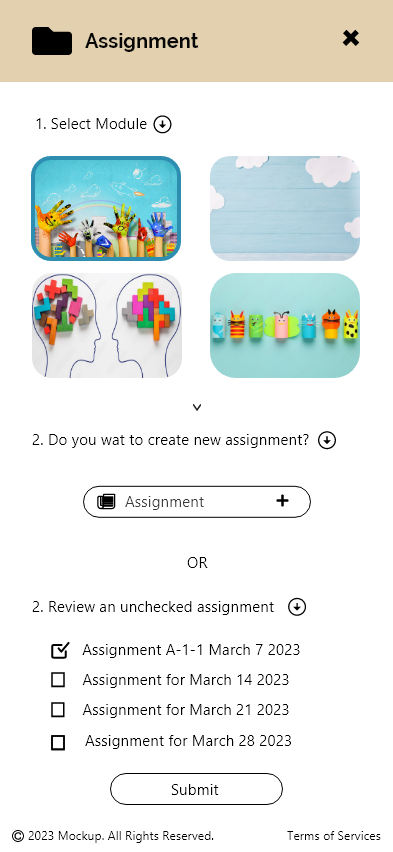
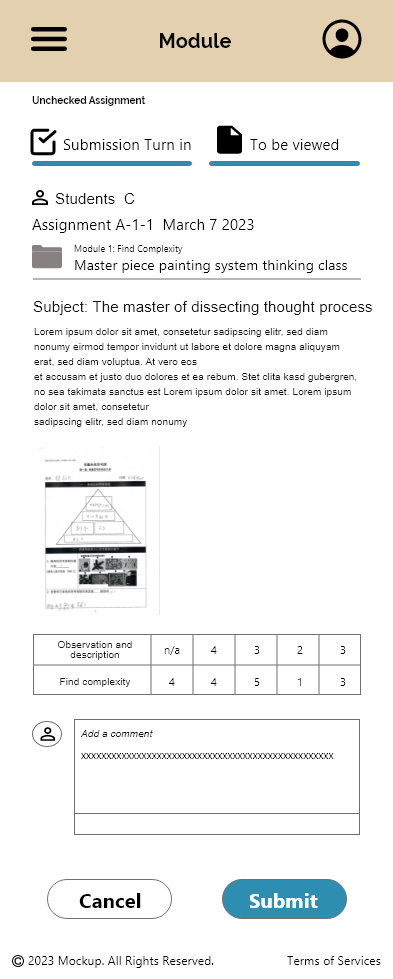
Summary
Product Vision
The Artful Thinking (AT) educational platform is an app-based solution complemented by a website. Its primary goals are to:
Improve Efficiency: Assist AT teachers and class leaders in streamlining project management and enable real-time communication.
Data Collection: Gather students’ academic and extracurricular performance data, including feedback on study sheets, and monitor progress before and after classes.
Analysis & Performance Tracking: Identify correlations between courses and overall student outcomes to support informed decision-making.
The Problem
Despite three years of collaboration with schools, the Artful Thinking (AT) program faces challenges in managing feedback from class teachers and students. AT teachers spend excessive time communicating, collecting, organizing, and analyzing results, which hampers efficient information sharing with cooperating teachers. Additionally, there is no effective way to collect comprehensive data on students’ overall performance after completing the program, limiting the ability to assess its long-term impact.
The Goal
The goal is to develop the Artful Thinking (AT) educational application to streamline communication and data management for AT teachers and class leaders. This platform aims to improve teaching quality by simplifying project management and enabling real-time collaboration. Furthermore, it seeks to collect and analyze student performance data to identify correlations between the program and overall student outcomes, supporting data-driven improvements in the AT program.
Understandign the Users
User Research Process
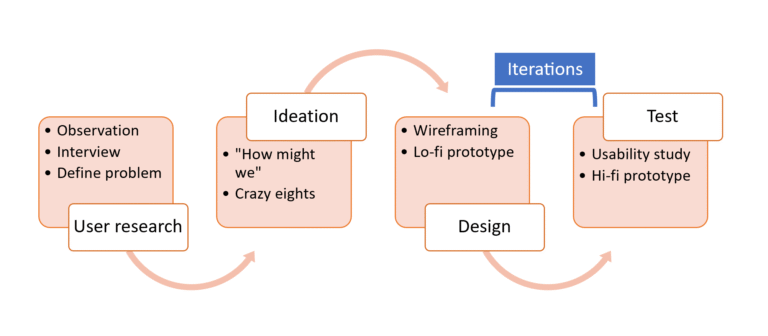
User Research
Observation
I participated in the Artful Thinking program, completing a total of 16 courses over two months with a 4th-grade class at Tamsui Elementary School from June to August.
User Interview
Interviewee Background
A total of five target users were interviewed. They are Artful Thinking (AT) teachers with over one year of experience teaching AT courses, covering grades from 3rd grade in elementary school to junior high school. Additionally, all of them are parents with more than one child aged between 4 and 12 years old at home.
Research Objective
To understand the course preparation and study sheet feedback collection processes that AT teachers follow, along with the goals they aim to achieve.
To identify common user behaviors and interactions with third parties such as school teachers, students, and parents.
To uncover the needs and frustrations AT teachers experience when completing tasks using current methods, including homework distribution and assignment collection through paper-based platforms.
Pain Points
Digitalization capability
Students face difficulties inputting assessments using laptops or tablets, and not all students have access to digital devices.
Evaluation follow-ups
There is no direct communication channel with school teachers, students, and parents, making it hard to follow up after program completion.
Feedback collection
The heavy reliance on paper-based assignments means manual data entry and feedback analysis consume excessive time.
Lack of interaction platform
It is challenging to actively engage third parties, such as school teachers and parents, in the program.
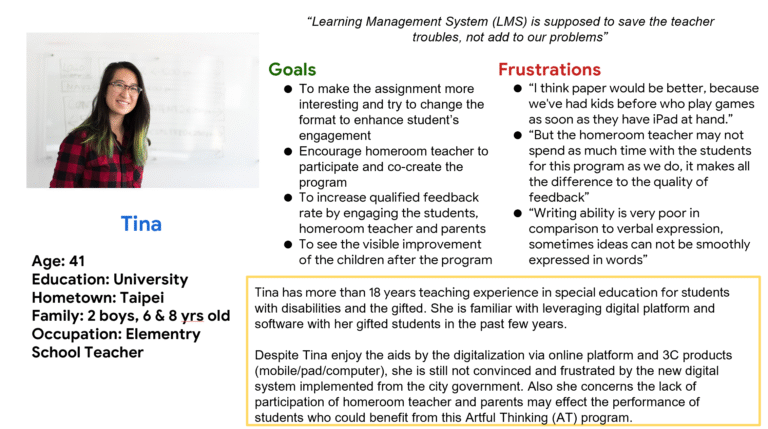
Persona
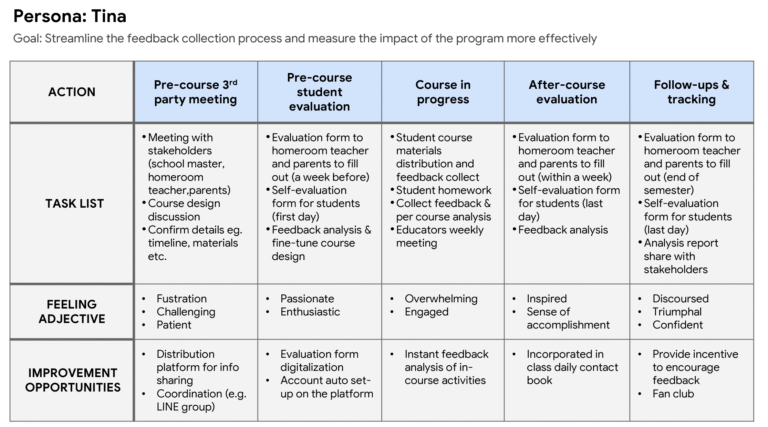
Problem statement Tina is a professional educator with a full-time teaching position and two children. She needs to streamline the assignment distribution and feedback collection process to more effectively evaluate the program’s impact.
User Journey Maps
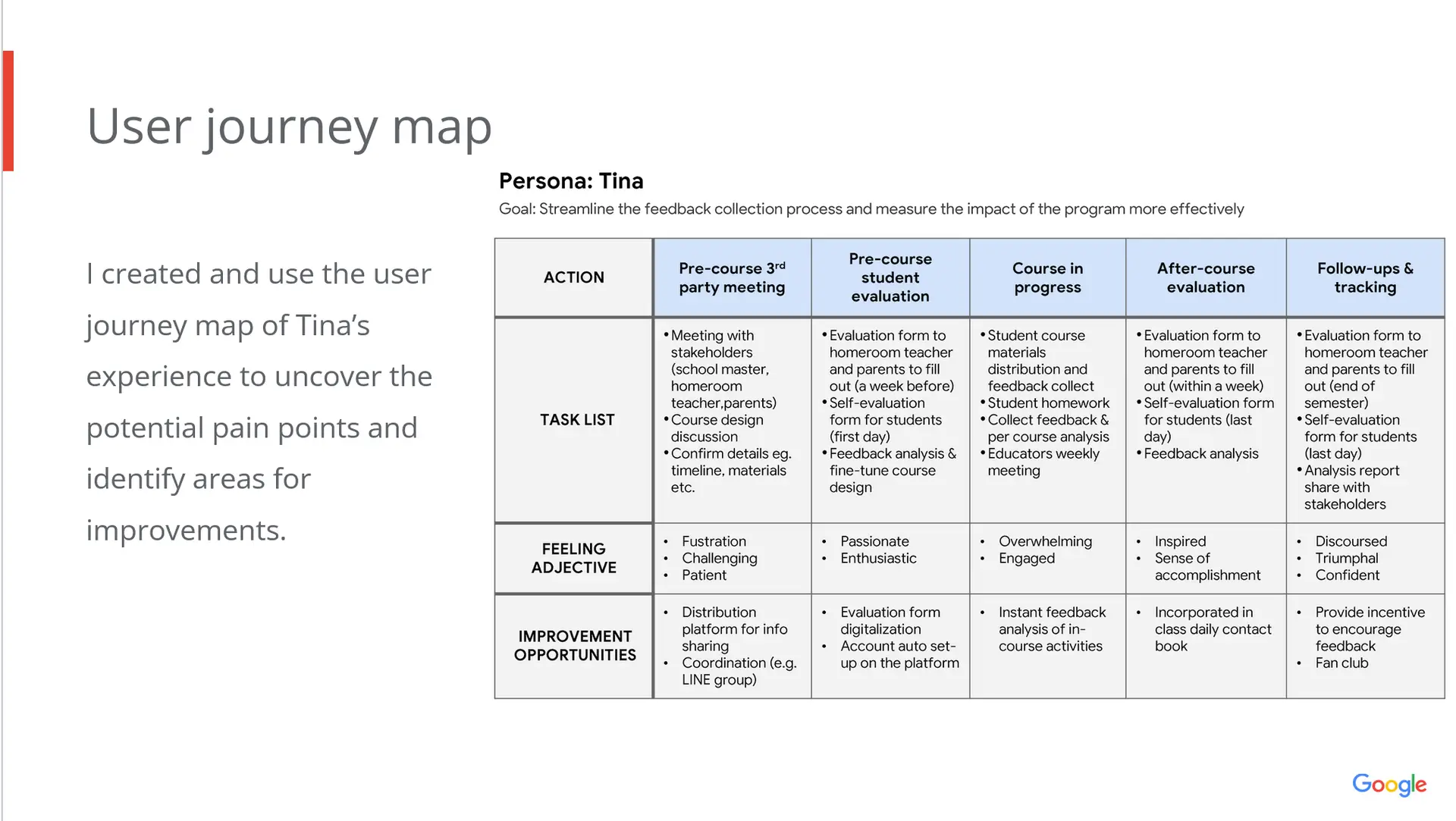
I developed and utilized a user journey map of Tina’s experience to reveal potential pain points and pinpoint opportunities for improvement.
Starting the Design
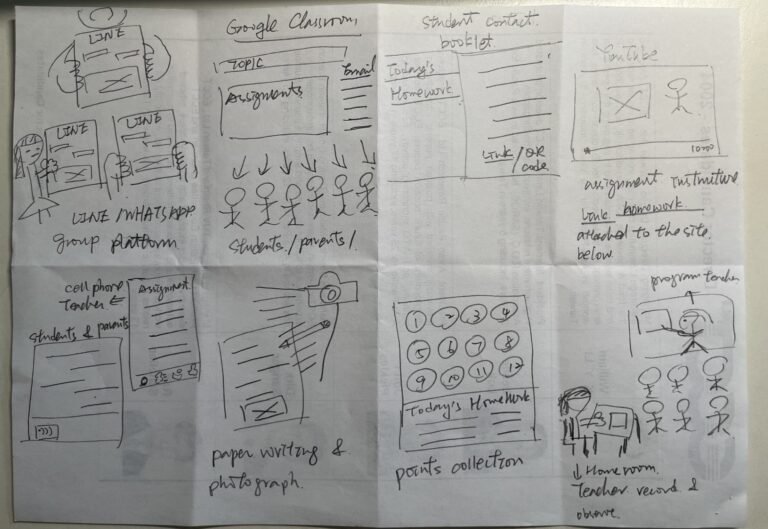
Crazy Eight
Drawing from the data gathered through observation and user interviews, I applied the Crazy Eight method to rapidly generate several ideas for features and functionalities that users would need to achieve their goals and complete tasks.
Sitemap
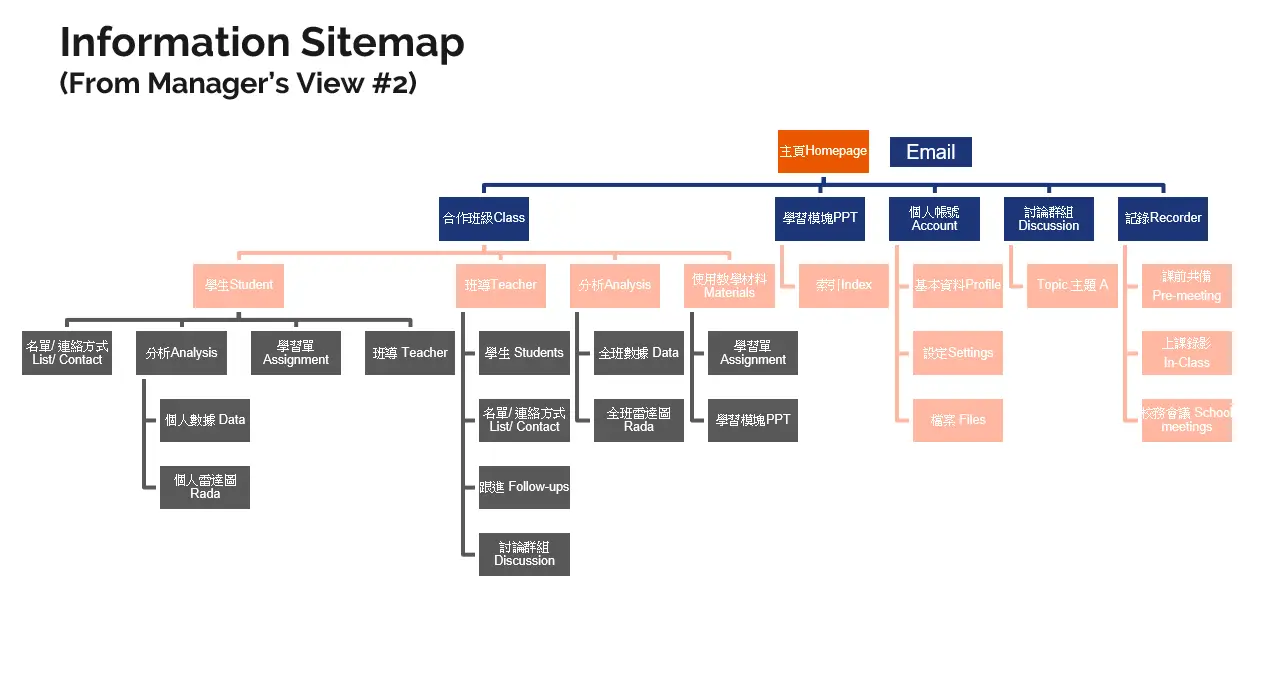
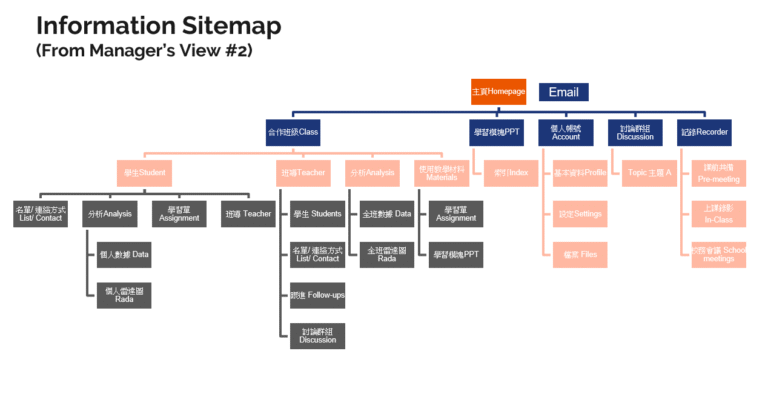
Users identified unfriendly navigation and content management as key pain points, so I created a sitemap outlining the essential functions needed to optimize and streamline the process. Given that the site will serve multiple user roles, it is crucial to prioritize functions that address the specific needs of each group to ensure ease of use
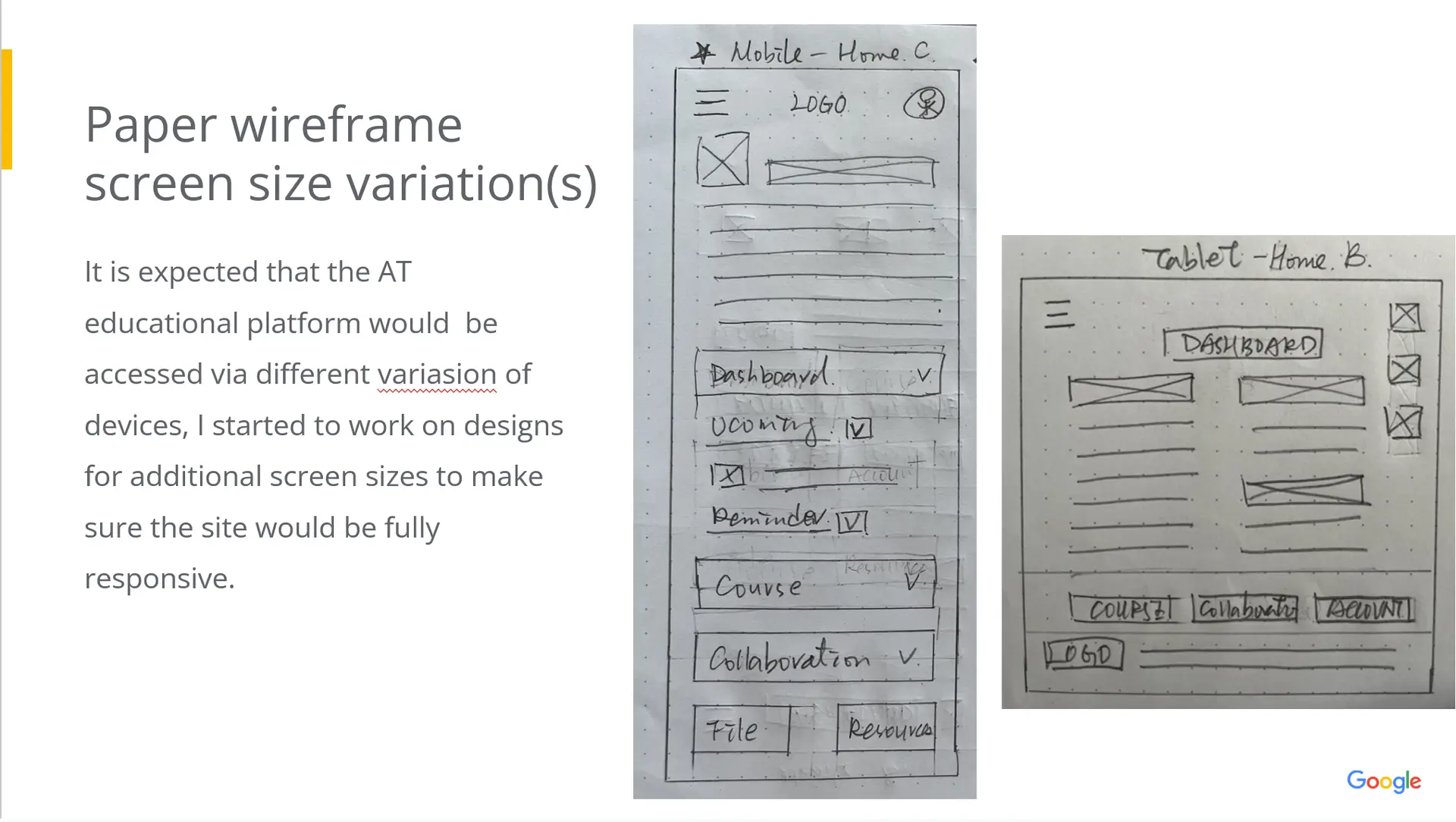
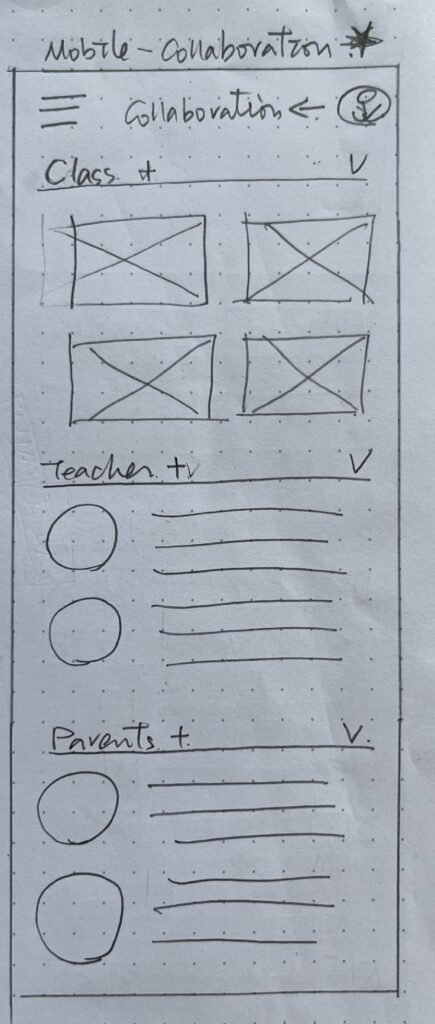
Paper Wireframing
Mapping out the journey for Christina help to empathize her pain point and identify the opportunities for improvement.
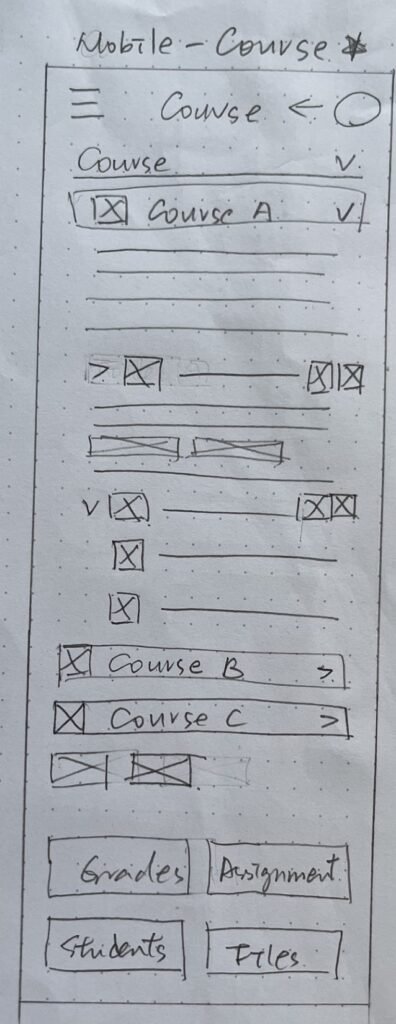
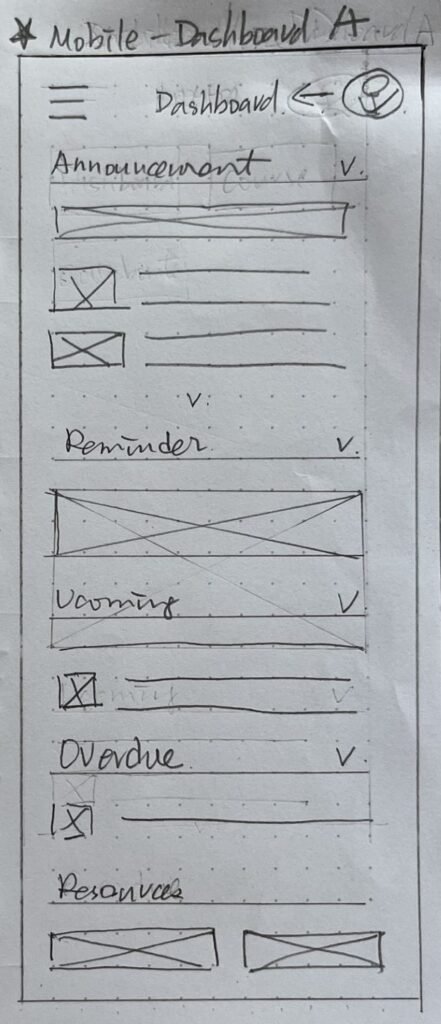
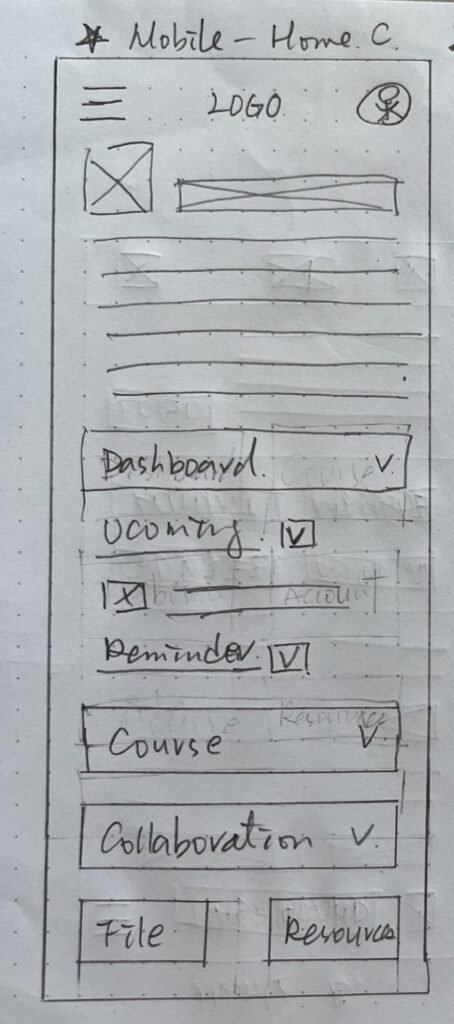
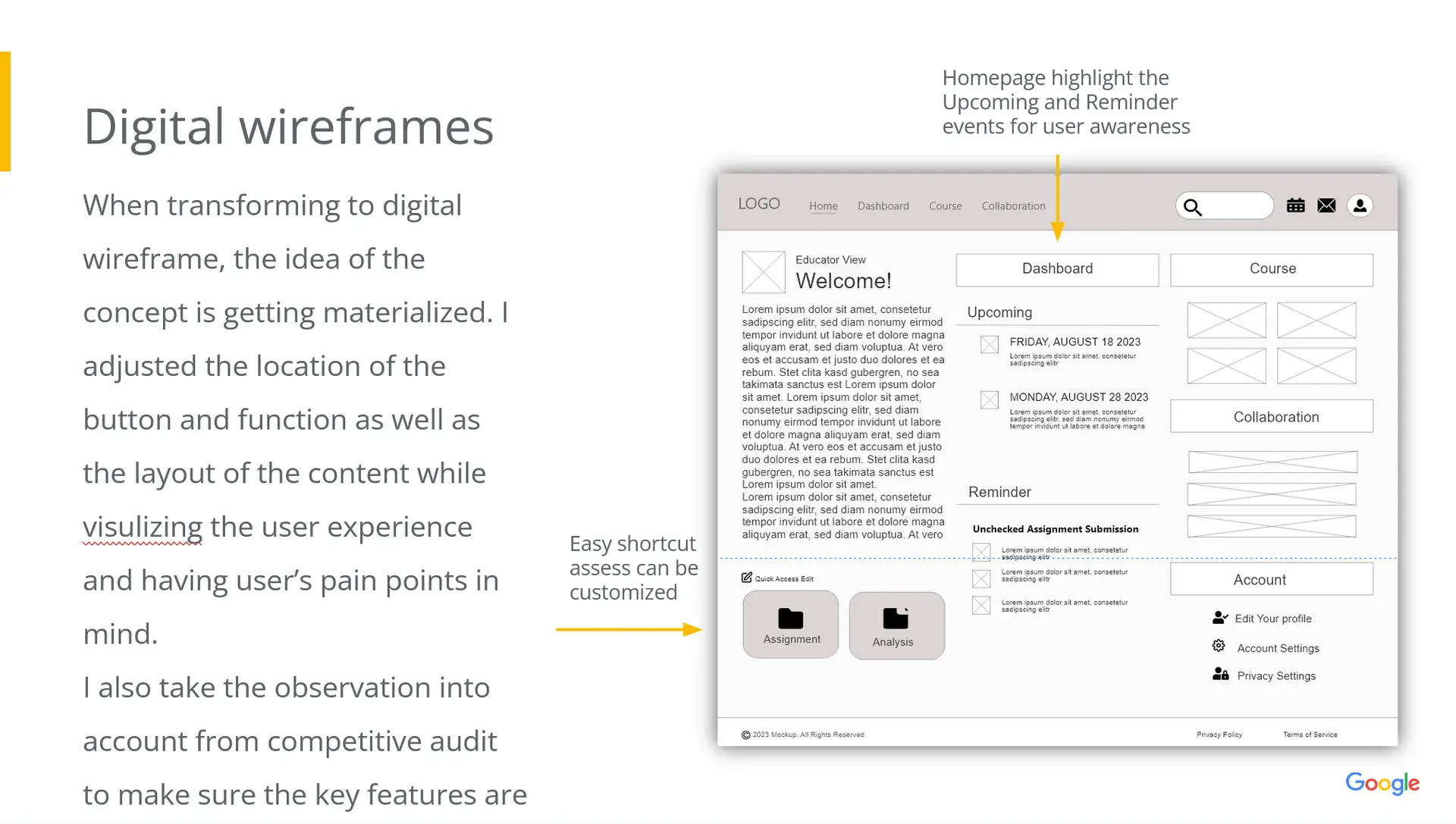
digital wireframe
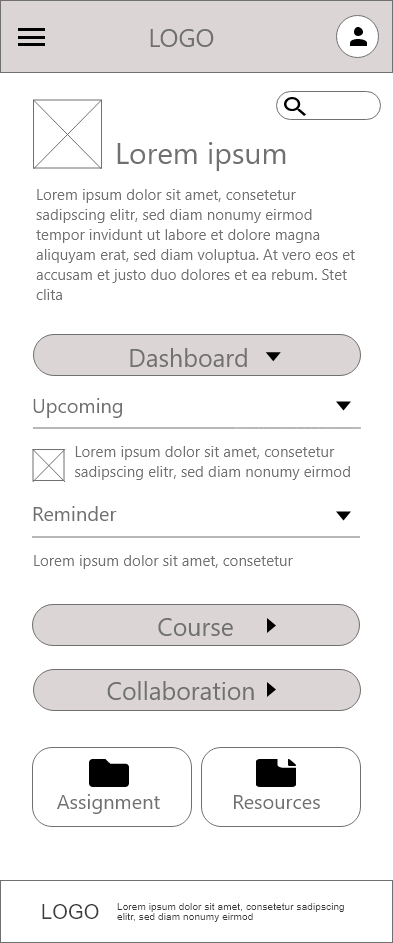
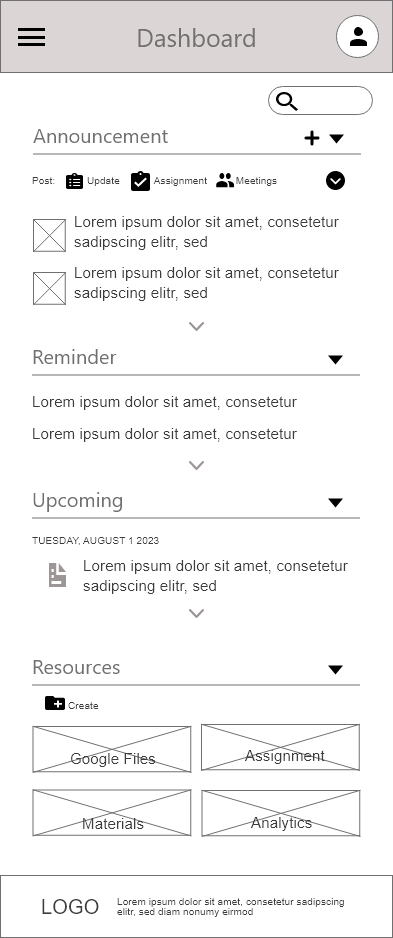
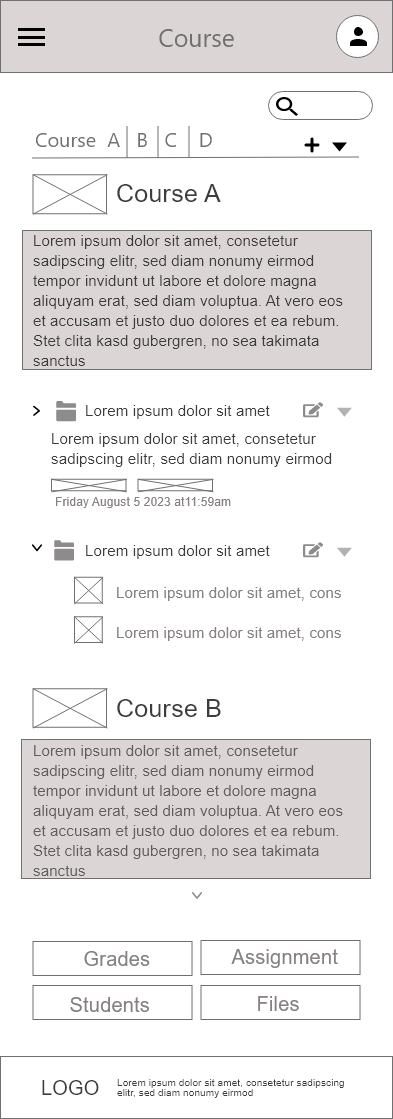
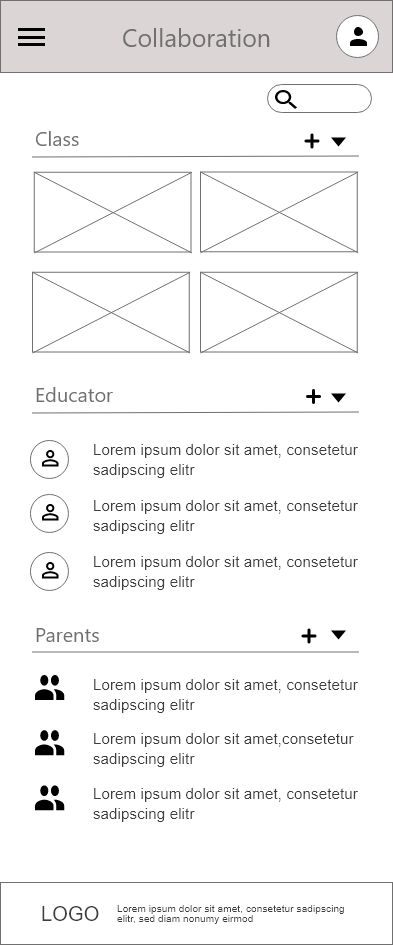
Usability study parameters
Study Type
Moderated usability study
Location
Taipei, remote
Participants
4 current AT program teachers
Length
20-30 minutes per iInterview
Usibility study findings
Cue for Completion
After clicking the send button, users were uncertain if they had successfully completed the task.
Invisible Key Feature
Users struggled to locate one of the main features necessary to complete their task.
Duplication
Users were confused about the distinct functions of the Homepage and Dashboard.
Refining the design
Low-fidelity prototyping
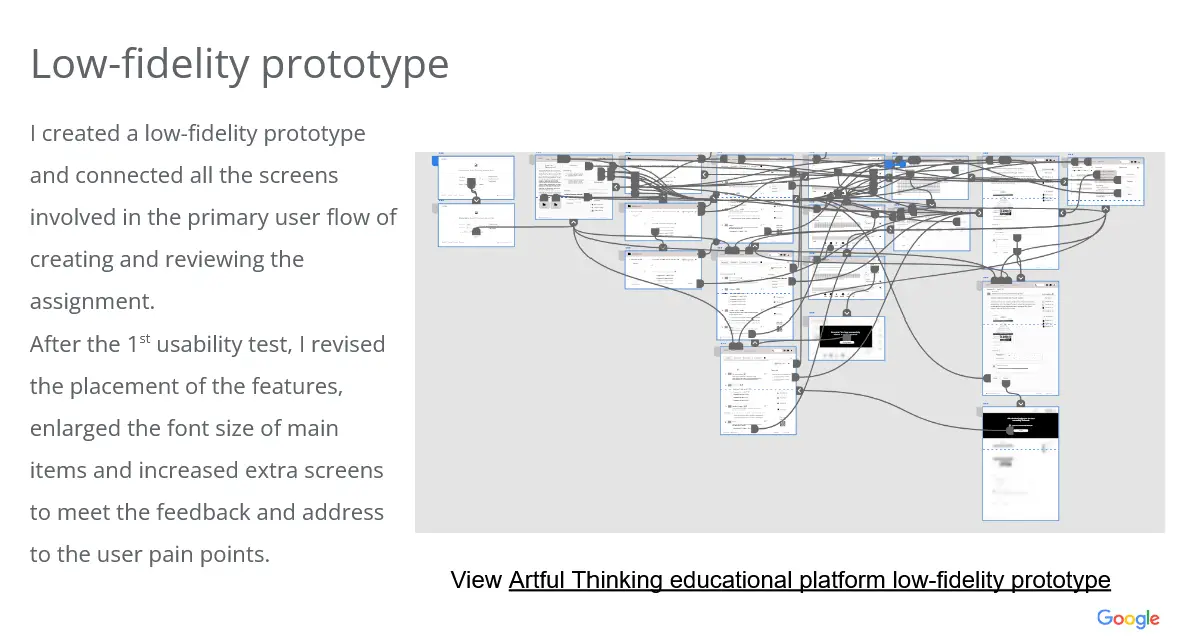
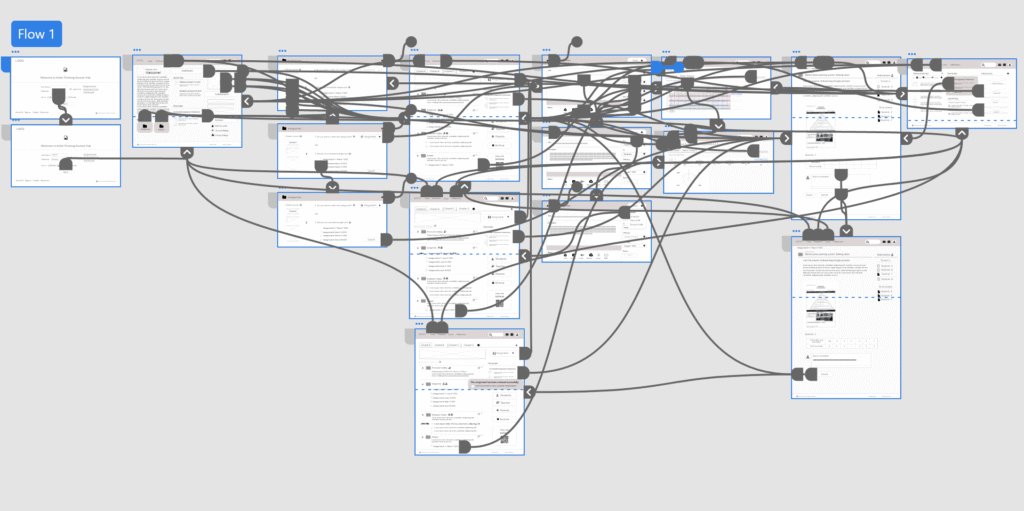
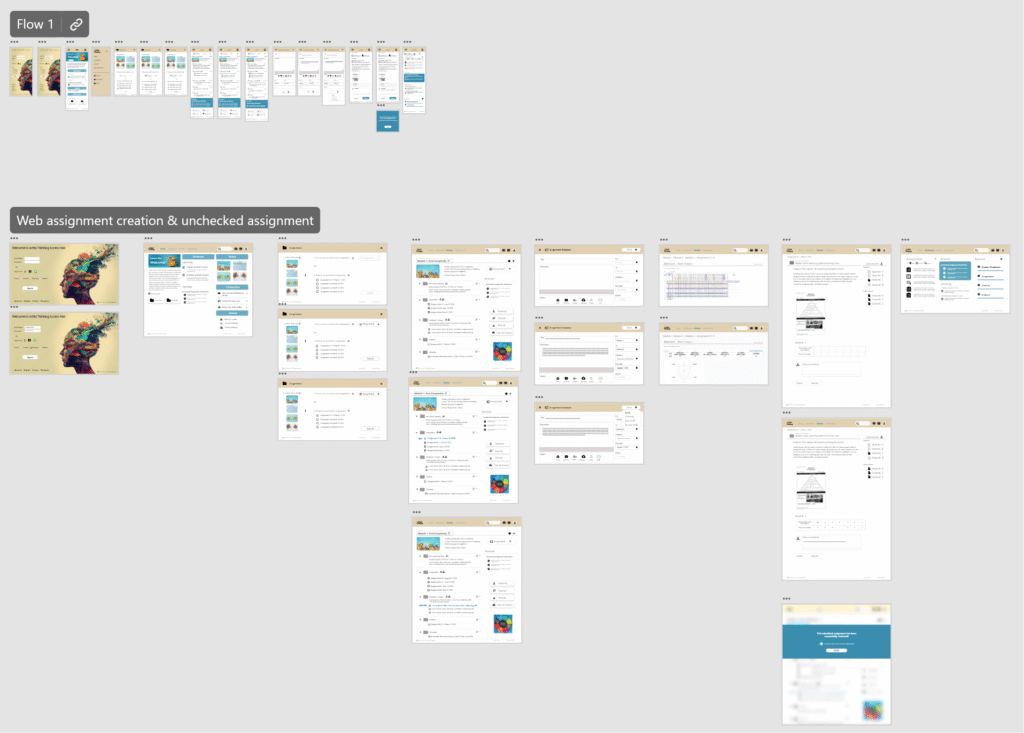
I developed a low-fidelity prototype by linking all the screens involved in the primary user flow for creating and reviewing assignments. Following the first usability test, I adjusted the feature placements, increased the font size of key items, and added additional screens to address user feedback and alleviate pain points.
High-fidelity prototyping
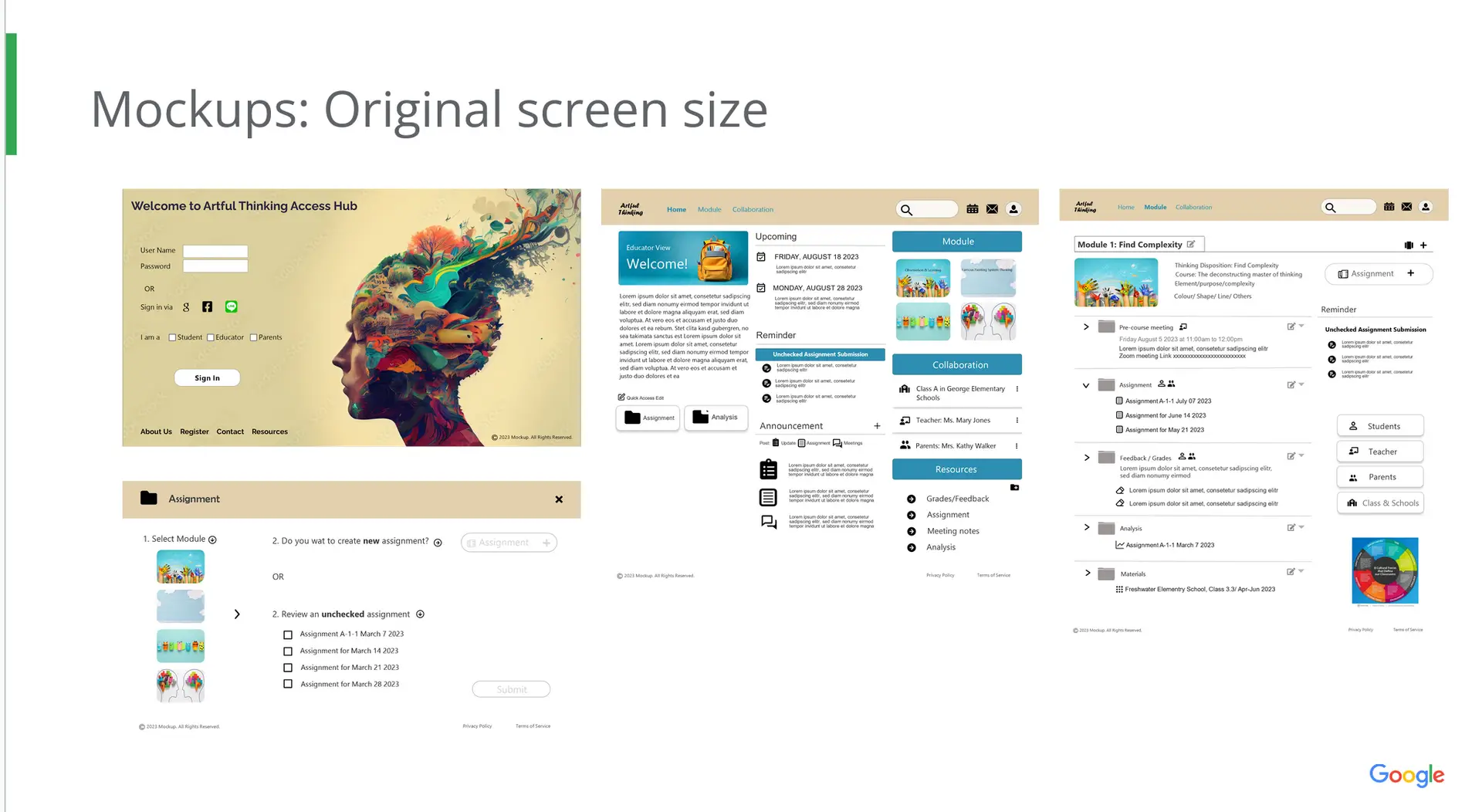
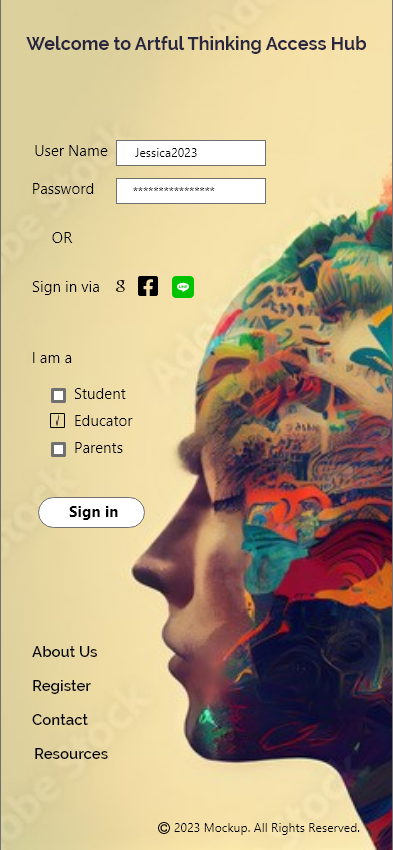
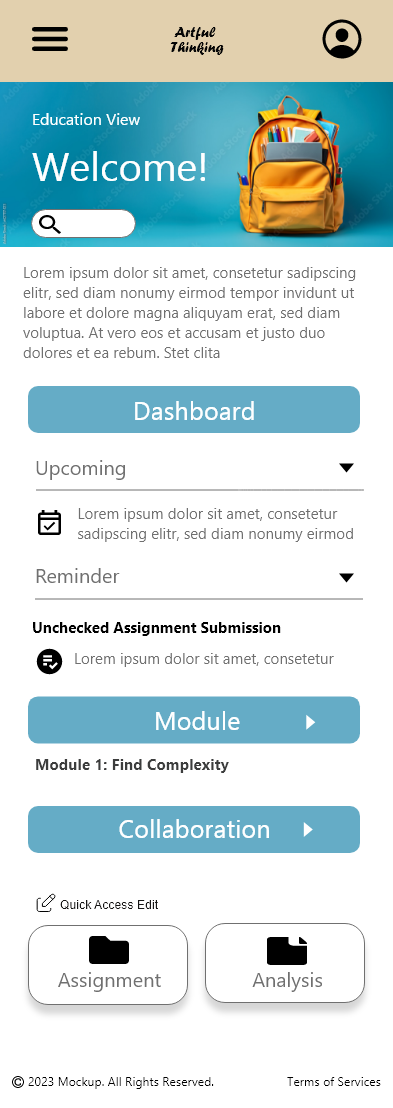
The high-fidelity prototype follows the same user flow as the low-fidelity version but incorporates the design refinements made after the usability study. You can explore and test the platform here
Going forward
Takeaways
Impact: Our primary users find the platform intuitive to navigate and are impressed by the layout, which prominently features key information related to the program. Additionally, the design allows room for future expansion.
What I learned:Usability testing is crucial because users often highlight overlooked gaps or identify redundant design elements that complicate the user flow and interactions.
Next steps
The iteration process will continue as new interviews are conducted with a broader audience, including school partners, parents, and teachers. Additionally, user testing will be carried out regularly to gather feedback, which will inform ongoing revisions and improvements to the app’s features, ensuring the design evolves to meet real user needs effectively.